
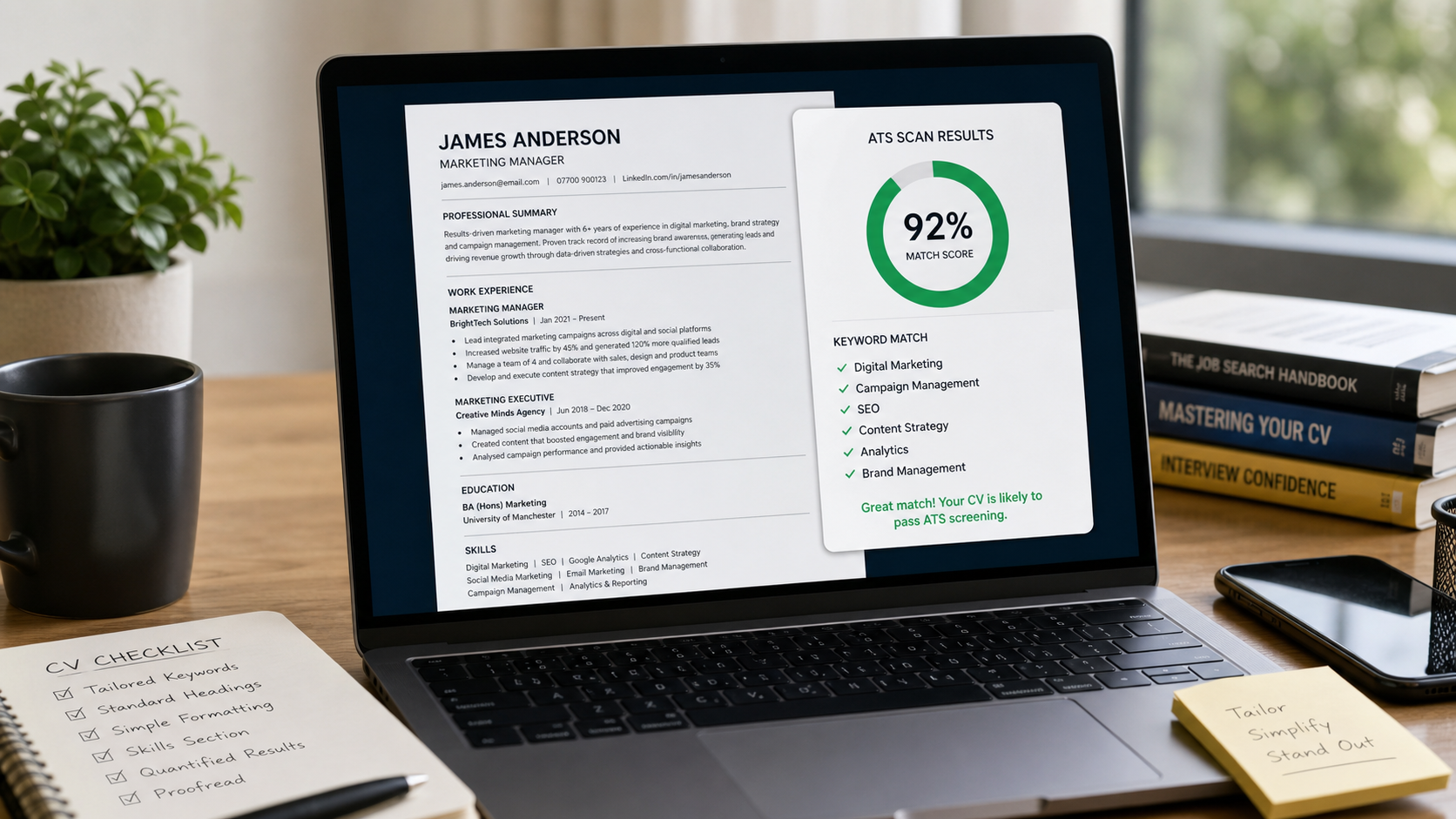
You spent two hours on your CV. A machine spent 0.3 seconds deciding it wasn't good enough.
Applicant Tracking Systems — ATS for short — are the software that sits between you and a recruiter's inbox. Most companies with more than 50 employees use one. Some estimates put the rejection rate at 75% before a human ever looks. That means your CV needs to pass a robot before it gets to impress a person.
The good news: once you understand what ATS is actually doing, it's very fixable. No lying required.
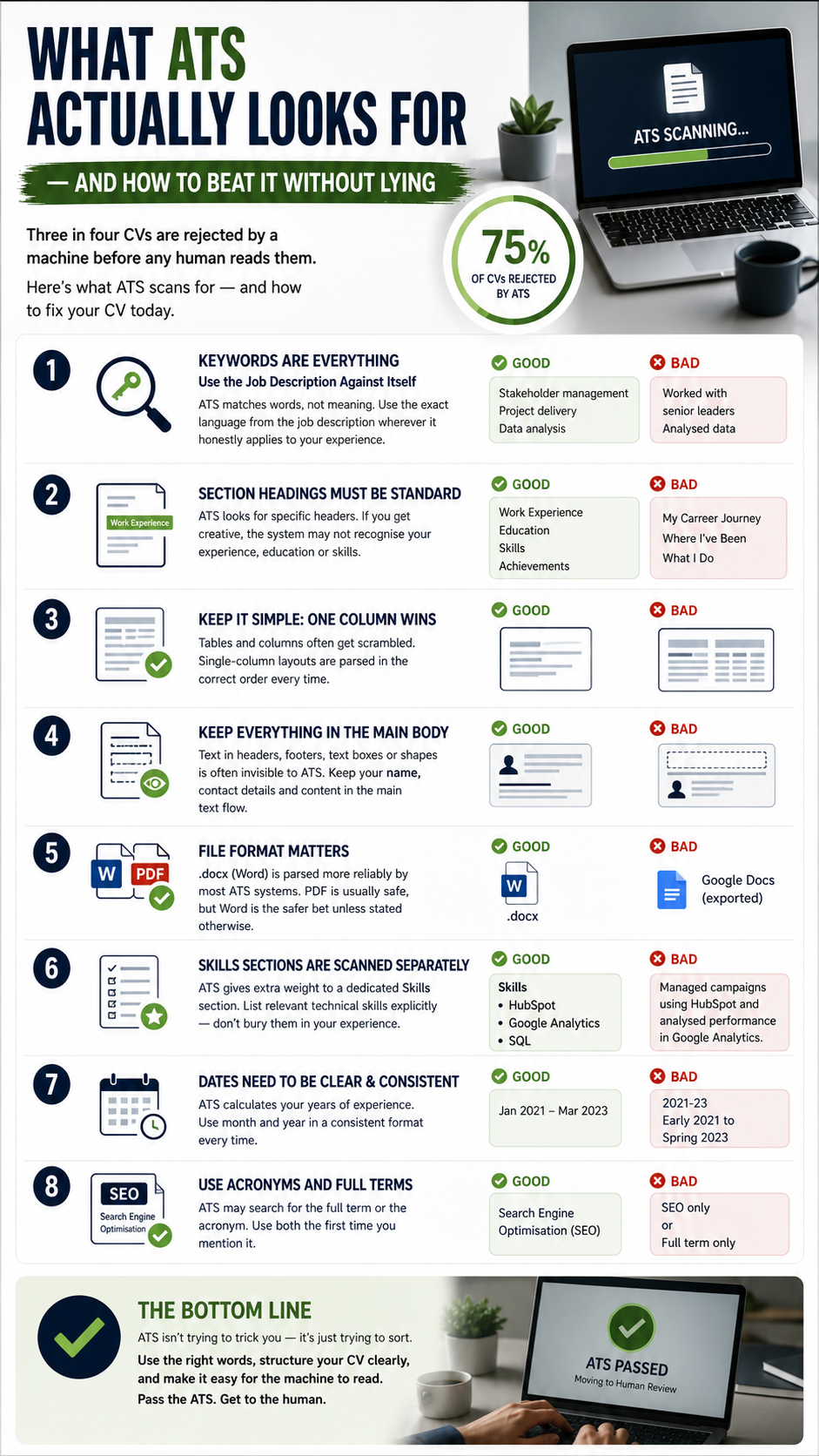
Save or share this — full breakdown below.
What ATS is actually doing to your CV
ATS doesn't read your CV the way a human does. It parses it — extracting text, stripping formatting, and comparing what's left against a list of keywords from the job description. It then assigns a match score. Below a threshold, you're out.
1Keywords Are Everything — Use the Job Description Against Itself
ATS matches words, not meaning. "Led a team" and "managed a team" are not the same to a machine. Copy the exact language from the job description wherever it honestly applies to your experience. If they say "stakeholder management," use "stakeholder management" — not "worked with senior leaders."
2Section Headings Must Be Standard
ATS looks for specific headers: "Work Experience," "Education," "Skills." If you've labelled yours "My Career Journey" or "Where I've Been," the system may not recognise it as experience at all. Stick to conventional, boring headings. You can be creative with the content.
3Tables and Columns Often Get Scrambled
Many CVs use two-column layouts or tables to look clean. ATS frequently reads these out of order — your job title might appear after your contact details, or your skills might get merged into your address. Single-column layout wins every time for ATS compatibility.
4Text in Headers, Footers and Text Boxes Is Often Invisible
If your name and contact details are in a Word header — which many templates use — ATS may not see them at all. Keep everything in the main body of the document. Same goes for text boxes and shapes. If it's not in the main text flow, assume the machine can't read it.
5File Format Matters More Than You Think
PDF is generally safe, but Word (.docx) is parsed more reliably by most ATS systems. Unless the job posting specifies a format, .docx is the safer bet. Avoid Google Docs exports that keep the Google Doc formatting — convert to a proper Word file first.
6Skills Sections Are Scanned Separately
Most ATS systems give extra weight to a dedicated Skills section. List relevant technical skills explicitly — don't just mention them buried in a bullet point. If the job requires "HubSpot" and you only mention it once inside a paragraph, you may score lower than someone who lists it plainly under Skills.
7Dates Need to Be Consistent and Clear
"Jan 2021 – Mar 2023" is fine. "2021-23" might not be parsed correctly. "Early 2021 to Spring 2023" definitely won't be. ATS systems try to calculate your total years of experience — vague dates hurt your score. Always use month + year.
8Acronyms and Abbreviations — Use Both
ATS may search for "Search Engine Optimisation" and miss "SEO," or vice versa. Write both — "Search Engine Optimisation (SEO)" — when you first introduce it. That way you match whichever form the system is searching for.
The bottom line
ATS isn't trying to trick you — it's just trying to sort. Tailor your language to the job spec, use clean formatting, spell things out clearly, and you'll pass. Everything after that is down to you.
Let MonkCV do the ATS work for you
Paste your CV and a job description. MonkCV rewrites it with the right keywords, clean structure, and an ATS match score — so you know it's ready before you send it.
Optimise my CV — free →Paresh Patel
LinkedIn →Founder, MonkCV — free career tools for job seekers
Every article is researched and written using primary sources — WEF reports, ONS data, Goldman Sachs research and real hiring data. MonkCV is free because good career advice shouldn't cost £200/month. How MonkCV works →